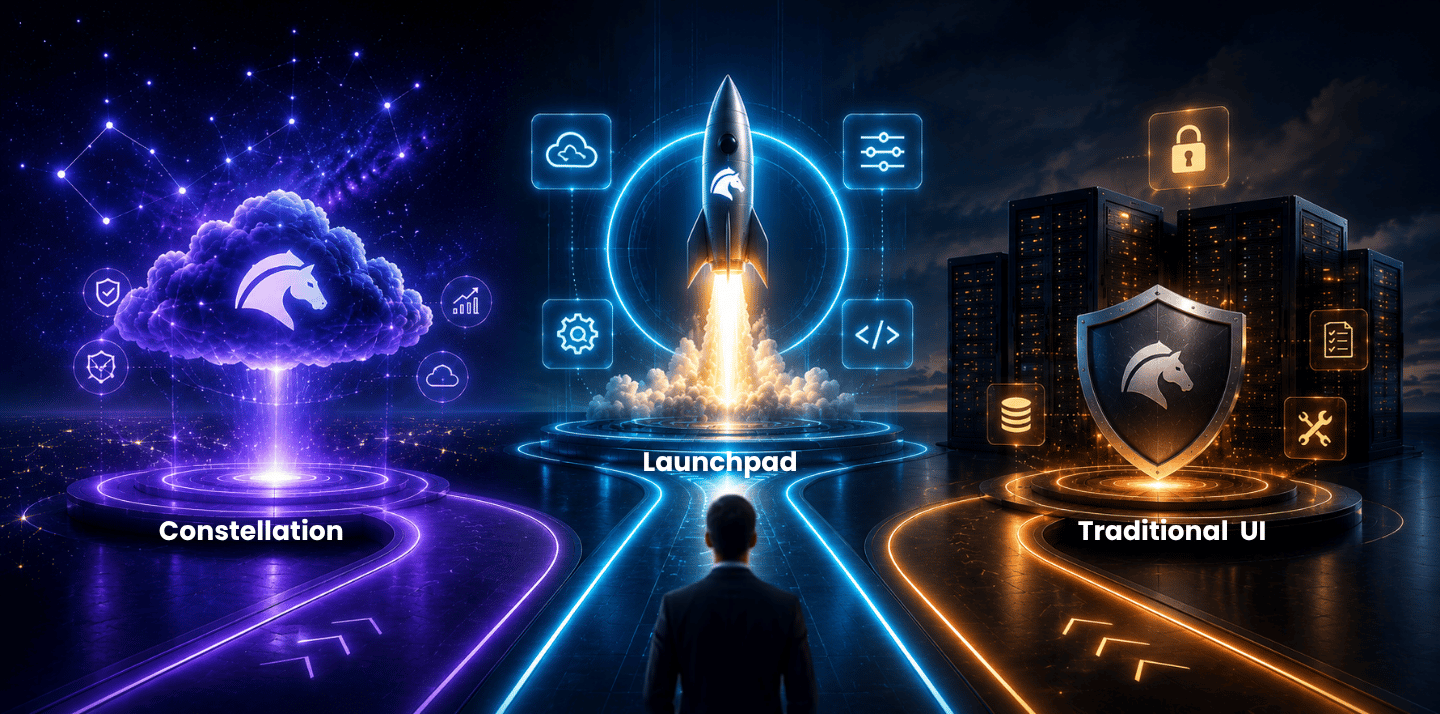
Enterprises face a crucial choice when modernizing their Pega applications whether to stick with traditional Pega (section-based UI Kit), adopt the new Constellation UX, or build on Pega Launchpad, a cloud-native SaaS platform.
Traditional deployments are proven and are still widely used in on-prem and cloud deployments, flexible but entail heavy customization and upgrade. Pega Launchpad is ideal for building multi-tenant SaaS products at scale with low code. Pega Constellation offers a modern, design-driven architecture that separates UI from business logic and accelerates development, ensures consistency, and simplifies upgrades. It offers a responsive React front end with reusable UX patterns and declarative configuration, drastically reducing manual coding.
Each path has its fit, for example, an internal workflow system may remain on a traditional stack with eventual Constellation migration, whereas a new cloud service would suit Launchpad.
We position fusionAIx as a go to partner that has delivered 20+ Pega production apps and migrated 30+ case types to Constellation in months, bringing best practices and acceleration to your modernization effort.
Pega’s platform has evolved rapidly. For years, most Pega apps ran on the traditional UI. Now, Pega provides new modernization routes, where organizations must assess which path aligns with their needs. This guide dissects the three approaches side-by-side and offers a recommended modernization roadmap for each.
Traditional Pega Deployments
Architecture and UI
Traditional Pega apps use a section-based, canvas-oriented UI. Developers can drag UI controls onto Sections and configure behaviors with Action Sets. This model allows extensive customization that any layout or widget can be hand-built. However, it ties UI closely to business rules. As, traditional UI follows a UI-centric customization approach, users drag UI controls and developers then customize the behaviors.
Traditional UI Kit applications use server-rendered web pages generated by the Pega platform and delivered through the application server.
Cloud Readiness and Deployment
Traditional Pega apps can be deployed on premises, in private cloud, or on Pega Cloud They are not inherently multi-tenant or microservices-based. Each application typically runs in its own environment, scaling by adding servers. While Pega Cloud offers elasticity, the core application remains monolithic. This means infrastructure setup and scaling require planning
By contrast, modern paths (Launchpad, Constellation) are designed for cloud. Legacy apps can still run on Pega Cloud or Kubernetes in the future but often require lift-and-shift with performance tuning.
AI and Automation
Pega’s AI and decisioning engines (Next-Best-Action, decision trees, predictive analytics) are platform features and work with any UI. Traditional apps can embed Pega’s Decision Hub or decision strategies. However, the UI lacks built-in AI assistants Any AI integration must be custom-built (e.g., using Rest integrations or custom components).
Customization and Upgrade Complexity
Traditional Pega excels at tailor-made features, but heavy customization inflates upgrade effort. Custom styles and scripts often break on platform upgrades. Pega notes that traditional UIs faced challenges during platform upgrades, custom CSS breaking, layouts shifting. Thus, each new version may require tedious rework.
In practice, traditional apps accumulate technical debt. Every flow action or layout can be customized, requiring deep front-end knowledge. Best practice is that when migrating to Constellation, teams must unlearn old habits and shift from customization to configuration.
Use Cases
- Enterprise BPM/Back-office: Well-suited for complex, deeply integrated workflows (claims processing, underwriting, core operations) where UI modernization is a lower priority.
- Existing Pega Legacy: Organizations heavily invested in Pega 7/8 may continue classic UI to leverage current assets.
- Compliance-bound environments: On-prem or strict-cloud scenarios often stick with traditional setups.
Pros: High customization, proven platform, and a large talent pool of legacy Pega developers. It can handle complex workflows and deeply integrate with legacy data.
Cons: Slow UI development, inconsistent UX, heavy maintenance. Legacy portals look dated on mobile devices. Upgrades and maintenance can be expensive and error prone.
Pega Launchpad
Architecture & UI
Launchpad is Pega’s cloud-native platform for building multi-tenant SaaS apps. Architecturally, it leverages a microservices/multi-tenant design. While it uses Pega’s workflow on the backend, Launchpad is packaged as a managed service on Pega Cloud (GCP-based). The front end for Launchpad applications is essentially modern Pega UI (React-based, per Project FNX evolution).
However, from a developer’s perspective, you get visual tools and templates rather than coding the UI from scratch. Launchpad offers reusable components and must-support common patterns out of the box, streamlining UI development for SaaS.
Cloud Readiness & Multi-Tenancy
Launchpad is cloud-native by design. It runs on Pega-managed cloud infrastructure and provides a multi-tenant container environment for apps. This means one codebase can serve many customers (tenants) with data isolation. Pega handles provisioning, scaling, and security of the underlying infrastructure.
Launchpad offers a scalable, secure, multi-tenant cloud-native platform that they manage end-to-end. For developers, this greatly simplifies operations where new tenants can be onboarded via an admin console, and Pega ensures uptime and compliance.
AI & Extensibility
Launchpad integrates with Pega’s enterprise workflow engine, so AI decisioning (Next-Best-Action, predictive models) is available. Additionally, Launchpad is designed with tenant extensibility. For SaaS providers, Launchpad includes features for extensibility that you can create APIs and extensions for customer-specific needs. Pega’s emphasis on AI in its platform extends here too. GenAI tools like Blueprint can accelerate setting up Constellation views even in Launchpad scenarios.
Customization and Upgrade Complexity
Launchpad enforces template-driven architecture. Customization in Launchpad is primarily through configuration, not code. Providers use subscription keys to enable/disable features per tenant. This ensures a single codebase can be upgraded easily across all customers.
Pega Launchpad combines enterprise-grade workflow automation with features that make it easy for software providers to develop and scale new B2B SaaS applications. It allows reusing existing software, so you build once and serve many. Because of this reuse, upgrades can be applied centrally.
Use Cases
- ISVs and Embedded Software Providers: Teams creating workflow-based SaaS products find Launchpad purpose-built for launch and monetization.
- Internal SaaS Teams: Large enterprises can use Launchpad to internalize product development (CoE for common tools) without building full infra.
- Multi-brand Scenarios: A company with multiple brands/markets can run one core app in Launchpad and spin up brand-specific instances.
Pros:
- Multi-tenancy and SaaS focus: Built-in support for subscriptions and tenant isolation.
- Low-code acceleration: Visual tools for workflows and UI cut development time.
- Scalable architecture: Cloud-managed infrastructure and multi-tenant scaling.
- Central upgrades: Single code base means updates roll out to all customers at once.
- Built-in admin tools: Launchpad provides portals for managing apps, subscribers, and usage
Cons:
- Niche scope: It’s specialized for SaaS offerings. Enterprises wanting a simple internal app won’t need multi-tenancy.
- Less flexibility in core engine: Customizations are via keys/config, which may not cover all scenarios.
- Early adoption: Being new, the Launchpad ecosystem (marketplace, partner support) is still growing.
Pega Constellation
Architecture & UI
Instead of hand-crafting screens, developers configure a data model and let Constellation’s patterns generate the UI. Constellation employs a view-based approach, common case management views like lists, forms, charts are templated and versioned.
fusionAIx notes Constellation separates UI logic from business logic focus on experience design without disrupting the core application engine. This means the Pega back-end handles case flows, while Constellation renders the frontend as an SPA (single-page application).
Cloud-Readiness & Scalability
Constellation is cloud-native by design. Pega has targeted Constellation at Pega Cloud environments, and it aligns with containerized, elastic infrastructure. Constellation uses a decoupled React-based front-end architecture managed through Pega’s Constellation framework while business logic remains within the Pega platform.Upgrades and scaling of Constellation apps can be managed more easily than legacy apps due to the decoupled UI.
For example, Constellation automatically aligns with Pega’s UI updates, so a new version doesn’t break layouts. This ensures easier scalability and compatibility with modern cloud practices.
AI and Next-Best-Experience
Constellation is built for AI integration. Pega has integrated GenAI and Blueprint tools to automate UI migration and design.
- Blueprint CoE integration: Designers can map processes and use Pega Blueprint to automatically generate Constellation screens from business models
- GenAI assistance: Pega GenAI can analyze legacy UIs and recommend Constellation patterns, even auto-generate case structures and screens
The modernization to Constellation can be partially automated. AI-driven tools promise to reduce the typical migration timeline. Even after go-live, Constellation’s architecture is geared to support AI-driven experiences (chatbots, next best actions, etc.) on the interface.
Customization & Upgrades
Unlike traditional UI, Constellation favors configuration over customization. Common patterns come configured in the data model, case stages, etc rather than hand-coded. Extensions are done through Constellation SDKs or renderers, essentially, plugins that can inject custom UI components when needed. But the core is strong defaults and guidelines.
Most Constellation upgrades require substantially less remediation than traditional UI applications because applications leverage standardized design patterns and reusable components. As one report notes, Constellation’s design tokens and templates reduce UI drift, minimize rework at release, and make the cost of change more predictable. In practice, clients have applied Constellation updates via simple checkboxes or minor tweaks rather than rewrites.
Typical Use Cases, Pros and Cons
- Customer-Facing Applications: Consumer portals, omni-channel services, and mobile-first apps benefit from Constellation’s responsive, modern UX
- Line of Business Apps: HR, finance, or field service apps where end-user experience and fast iteration matter
- Greenfield Projects on Pega: When building a new Pega solution, starting with Constellation accelerates delivery and future proofs the UI
Pros:
- Modern UX and UX consistency: Apps look contemporary and cohesive across all screens. Constellation’s design tokens and templates reduce UI drift, minimize rework, and make the cost of change more predictable
- Faster delivery: Model-driven UI lets developers and business users build screens quickly (often in days) without front-end coding. Prototyping and changes become much faster
- Ease of upgrades: UI upgrades are handled by Pega in the background, drastically cutting regression testing. Evergreen design updates mean staying current with little effort
- Built for mobile and accessibility: Out-of-box responsive behavior and WCAG compliance improve user adoption
- AI-enabled design: Integration with GenAI and Blueprint accelerates migration and even new development
Cons:
- Learning curve and mindset shift: Developers must unlearn the section-based approach and adapt to Constellation’s model-driven way. Initially, doing a new page layout can be harder without templates
- Requires Pega Cloud: Constellation is optimized for modern cloud deployments and is most commonly adopted on Pega Cloud, although it is not exclusively limited to Pega Cloud environments.
- Pega Cloud
- Client-managed cloud
- Kubernetes deployments
- Other supported deployment models
- Less raw control: Super-custom UI tweaks (rare in enterprise apps) are possible via SDK, but not as freely as old school
Comparing traditional Pega UI, Launchpad, and Constellation across key dimensions
| Feature | Traditional Pega UI | Pega Launchpad | Pega Constellation |
|---|---|---|---|
| UI Tech | UI Kit / Section-based UI | React-based front ends, Pega Cloud services on Google Cloud Platform, and the ability to weave business processes, case management, and workflow across systems with Pega Process Fabric | Constellation design built with ReactJS, an open-source, front-end framework. |
| Development Model | Drag-and-drop controls and Action Sets with optional custom development when advanced behavior is required. | Visual low-code, multi-tenant framework | Declarative App Studio (model-driven) |
| Cloud / Scalability | Optional (on-prem or single-tenant cloud) | Native multi-tenant SaaS (Pega-managed) | Cloud-native (Pega Cloud containers) |
| AI & Extensibility | Pega AI available; custom integration needed | Pega AI available; supports SaaS extensibility | Designed for GenAI/Blueprint automation |
| Customization | High (custom HTML/CSS/JS allowed) | Controlled (tenant configs, no forked code) | Low-code config; extend via SDKs |
| Upgrade Effort | High (custom UIs often break) | Low (single codebase managed centrally) | Very low (evergreen UI kit updates) |
| Use Cases | Legacy core processes (claims, back-office) | B2B SaaS products (ISVs/Centers of Excellence) | Customer portals, internal apps, new initiatives |
| Key Benefits | Maximum flexibility, mature skillset | Fast SaaS launch, built-in ops | Speed & consistency in UX |
| Challenges | Slow changes, high maintenance | Limited to SaaS use case, platform lock-in | Learning curve, cloud-only |
| Relative Cost/Effort | Medium (per change & support) | High upfront (app build), lower marginal | High initial (rebuild), low maintenance |
Migration Strategies & Phased Roadmap
No matter the path, a phased approach reduces risk. Key steps include:
- Assessment & Goal Setting: Analyze your existing Pega portfolio. Determine which apps need immediate UX overhaul and which can wait. Define goals (e.g., improve customer engagement, support SaaS business, reduce costs). This guides whether Constellation, Launchpad, or a mix makes sense.
- Proof-of-Concept (PoC): Build a small pilot. For Constellation, pick one case type to convert (like a single customer support case). Use Pega Blueprint or GenAI to auto-generate UI layers and compare to the original. For Launchpad, prototype onboarding a test tenant. Validate performance and admin flows.
- Iterative Migration: Don’t try to rebuild everything at once. Instead, co-exist old and new. For Constellation, you can deploy migrated case types side-by-side with legacy ones, perhaps using branch applications. A recommended way is migrating by microjourneys – break cases into fragments and convert piece by piece. For example, first migrate customer lookup and onboarding forms, then the rest. Launchpad migrations often involve greenfield SaaS apps, so iteration there means adding modules over releases
- Traditional→Constellation: Start with less complex case types, then progress to full cases. Incrementally replace old sections with Constellation views. Best practice is a microjourney approach, migrating small chunks in each sprint
- Traditional→Launchpad: If creating a new SaaS offering, begin on Launchpad from day one. Alternatively, lift-and-shift an entire app, rewriting it as a multi-tenant project
- Integration & Testing: As modules move, ensure databases, services are reconnected. Automated testing is crucial. Constellation’s decoupled UI makes testing mostly about data flows, since UI is standardized. Launchpad’s multi-tenant scenario requires tenant-specific test cases
- Training & Enablement: Train users on new interfaces. For Constellation, highlight the consistent design and walkthrough differences. For Launchpad, train tenant admins on the provider portal. Arrange change management workshops, emphasizing benefits like faster feature releases
- Go-Live & Optimize: After initial launch, monitor KPIs, gather feedback. Iterate UI tweaks or launch additional SaaS features. For Constellation, use the Pega Design System to refine brand theming across apps. For Launchpad, refine tenant onboarding flows based on user behavior
Business Impact and KPIs
Modernization should be measured by business outcomes, not just technology changes. Key impact areas and metrics include:
- Time-to-Market: How quickly can new features or apps be delivered? Constellation and Launchpad both aim to speed development. For example, using Constellation templates can cut UI build time from months to days, directly impacting release cycle time KPI
- Total Cost of Ownership (TCO): Includes development, maintenance, and upgrade costs. Traditional apps have high ongoing TCO due to manual upkeep. Constellation reduces rework – it makes the cost of change more predictable and lowers future maintenance. Launchpad, while requiring investment to build and onboard tenants, saves cost by automating ops and support. Measure TCO by comparing annual support/upgrade hours and license costs before vs after modernization
- User Engagement and Satisfaction: Modern UIs boost productivity and satisfaction. KPIs can be end-user adoption rates, task completion times, or NPS scores for internal users/customers. Constellation’s consistent UX and mobile support often show better adoption. Launchpad-built customer portals can be measured by subscriber renewal rates and new sales velocity
- Operational Efficiency: Track metrics like case resolution time, error rates, or support tickets. A streamlined Constellation UI can reduce user errors and training time. fusionAIx notes that using Constellation design standards reduces inconsistencies, a governed design system, minimize rework – implying fewer defects and operational delays
- Business Velocity (Agility): Count how many changes or enhancements are delivered per quarter. Low-code tools such as both Constellation and Launchpad enable citizen developers and rapid prototyping. A good KPI here is features delivered per release or percentage of requirements met in each sprint
- Revenue/ROI: For Launchpad, track new revenue streams from SaaS products. For Constellation, measure intangible ROI: TCO savings or customer retention improvements
Common Pitfalls & Change Management
Modernization projects often falter due to non-technical issues. Key pitfalls:
- Resistance to Change: Users and developers comfortable with the old system may resist new tools. Mitigation: Engage stakeholders early, communicate benefits, and provide hands-on training. For example, host workshops showcasing Constellation’s drag-and-drop interface, or demo a Launchpad tenant portal.
- Underestimating Upfront Effort: Teams sometimes view Constellation as just a UI upgrade, but it is a paradigm shift. Do a pilot to uncover hidden dependencies like custom CSS that must be re-implemented as theme rules.
- Neglecting Architecture: A successful modernization must include architecture planning. For Launchpad, ensure your SaaS data model isolates tenant data. For Constellation, plan how to integrate with existing systems (or refactor integrations to be REST-based). Best practice is to build robust governance and performance frameworks as part of the modernization initiative
- Skipping Training: Both Constellation and Launchpad may introduce new roles (tenant admin, citizen devs). Constellation’s App Studio is meant for citizen developers, but it still has a learning curve. Allocate time for training and pair experienced devs with business analysts
- Ignoring Legacy Dependencies: Modernizing only the UI may uncover deeper issues data model tweaks, integration refactoring. Plan for refactoring as part of the project
- Over-Customizing Too Soon: Resist the urge to inject custom code in Constellation; try to solve needs with configuration and SDKs. Custom hacks defeat the low-maintenance promise
- Neglecting Change Management: Align business stakeholders from the start. Showcase demos of the new UI early to build buy-in. Collect and act on user feedback continuously
To mitigate these, apply standard change management, define a clear vision, involve end-users, and celebrate early wins. Set up cross-functional teams to guide the transition. Use governance checkpoints to validate progress and adjust scope.
Recommendations
Choosing the right approach is strategic: Traditional Pega suits stable, back-office applications that are costly to rewrite but where the UI is less critical. Launchpad shines for new SaaS products, organizations aiming to offer Pega-based workflow services to multiple customers should leverage its multi-tenancy and built-in admin features. Constellation is optimal for modernizing enterprise apps and delivering superior user experiences. It’s especially recommended if you plan to adopt Pega Cloud and AI tools
fusionAIx – Your Pega Modernization Expert
At fusionAIx, we help organizations navigate this modernization journey from vision to reality. We combine deep Pega roots with cutting-edge expertise in Constellation and AI. Our team has over 20+ live production applications delivered, 30+ case types migrated to Constellation in 8 months.
We offer:
- Modernization Strategy & Roadmaps: We assess your current Pega landscape, define goals, and create a tailored Constellation/Launchpad roadmap.
- Accelerators & SDKs: Our proven accelerators and SDK components speed up Constellation migration. We specialize in smart refactoring—using Pega Blueprint and GenAI to transform legacy UI to modern patterns.
- Center of Excellence Enablement: We build scalable architecture and governance models (CoEs) to ensure long-term ROI.
- AI Integration: We embed GenAI, conversational interfaces, and decisioning into Pega workflows (see our fxAIStudio and fxAgentSDK solutions) to maximize automation.
- Training & Support: We run bootcamps, Constellation hackathons, and hands-on training to upskill your team (bridging the React and AI skills gap). We also provide ongoing support dashboards and co-innovation programs.
With fusionAIx, you don’t just lift-and-shift, you transform. We drive measurable outcomes like faster time-to-market and greater agility, while ensuring governance and security. As Pega’s own messaging says, build for change – we deliver solutions that let you change for tomorrow.
If you’re evaluating Constellation, Launchpad, or traditional upgrades, our experts can guide the way, leveraging our Marketplace accelerators and global Pega experience.
Next Steps: Contact fusionAIx to discuss your modernization goals or request a workshop. We can help you plan the optimal modernization journey – whether it’s an incremental Constellation upgrade, a new Launchpad SaaS strategy, or an integrated hybrid approach.