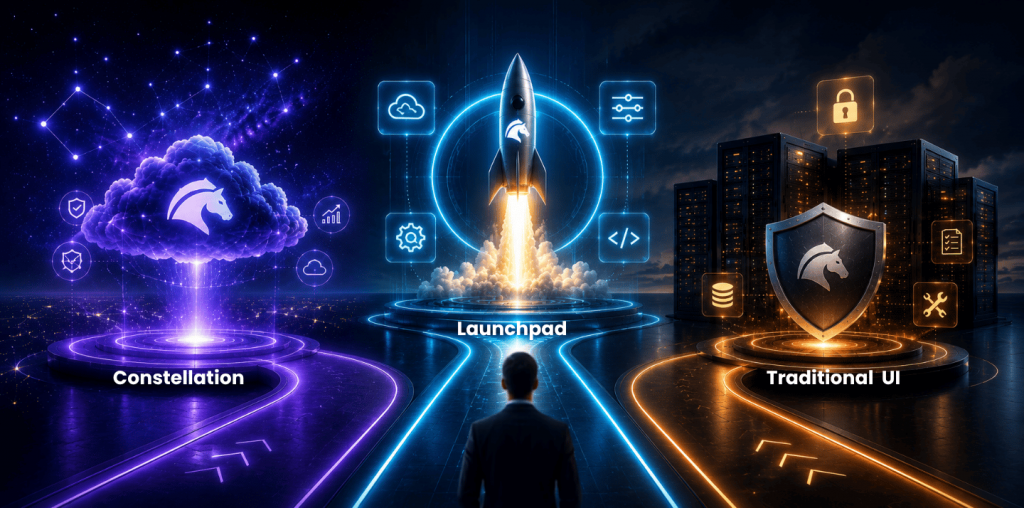
Pega Constellation changes how teams make delivery decisions, not just how their applications look.
It brings a model-driven, configuration-first approach to enterprise experiences, combining a prescriptive design system, reusable patterns, pre-built components and the DX API. Teams can spend more time on the work users need to complete and less on rebuilding the mechanics of every screen. Pega’s overview of Constellation describes the move from heavily customized interfaces to a configuration-led approach.
That shift can be uncomfortable for teams with successful traditional Pega applications. They may bring years of domain knowledge, design preferences and established habits. Problems arise when Constellation is treated as a blank UI framework and every familiar interaction is recreated. The solution becomes harder to maintain, slower to change and less able to benefit from the platform’s patterns.
Proposal from Pega realized by Constellation is: start with the business outcome, then use the simplest platform capability that achieves it. Customization is valuable when it addresses a proven gap; it should not be the default choice. Here is a proven blueprint for success in Constellation. This is not a theoretical checklist but lessons and experiences from many Constellation implementation done by fusionAIx.
Define the problem
Many difficult UI requests are versions of the XY problem: a team arrives with a proposed solution before agreeing on the underlying problem.
Imagine a request for a dashboard with twelve tabs, each running expensive queries. The discussion quickly turns into caching, lazy loading, data sources and component design. Start with a simpler question: why does every user need all this information at once?
In a typical scenario, users do not need twelve tabs. They need two or three role-appropriate ways to find the work that matters to them. Simplifying the information architecture and enabling those views is more useful than optimizing a dashboard nobody needs in full.
Before designing a component or adding a configuration option, ask:
- What decision or action must the user take?
- What makes that action difficult today?
- What evidence suggests that the proposed interface will solve it?
- Can a standard Constellation pattern, view or workflow already support it?
These questions help the team solve the right problem.
Use the 5 Whys
The 5 Whys makes assumptions visible. The exact number of questions is less important than moving from a requested screen element to the business result it should enable.
Consider the request: “We need a custom component that shows customer risk scores with colour-coded indicators.”
- Why do users need the indicators? To spot high-risk customers quickly.
- Why must they spot them quickly? To prioritize their casework.
- Why is prioritization important? Their time is limited, and the team wants to prevent churn.
- Why is churn prevention difficult today? Users must search a broad list to find cases that need attention.
The need may not be a new visual component. It may be a filtered list, an appropriately ordered work queue or a view that makes actionable items clear. A focused outcome can often be delivered with less custom code and lower long-term maintenance. Agree how success will be measured before implementation: for example, whether users can identify the highest-priority cases faster and complete the intended action without extra guidance.
Use the technique with the people closest to the work. A product owner may know the desired result; a case worker may explain the real friction; an architect may identify what the platform already provides. Record the outcome in a short sentence:
This enables users to [take an action] so that [business value] follows.
If that sentence is vague, the requirement needs more discovery before more UI.
Configure first
Constellation is intentionally prescriptive. Its design system provides pre-built patterns and components, while its model-driven architecture lets teams configure data, views and actions without hand-building each interaction. That is a delivery advantage.
Test the standard option against the validated outcome first. Views, for example, collect and present information relevant to case resolution, and their available UI elements are driven by the data model. Pega’s guidance on Constellation views shows why sound UI decisions begin with a sound model.
Some experience, brand and channel needs will not be met by standard patterns. Pega supports extensions through Constellation DX components and the DX API. However, Pega also notes that custom components require front-end skills and can introduce maintainability, accessibility, usability and security considerations. Its DX component introduction makes the trade-off explicit.
Before approving an extension, establish:
- Which user outcome cannot be met with the standard capability?
- Check with Pega team if solution to your problem is already planned to be solved in product
- What user research, operational evidence or compliance requirement proves the gap?
- What is the smallest extension that closes it?
- Who will own compatibility, accessibility and regression testing as the platform evolves?
Treat a DX component as a product asset with an owner and lifecycle, rather than a one-off escape hatch.
Design for configurability
Teams often invest heavily in configurable tables, role-specific dashboards and report variants to anticipate every user preference. The intention is good, but the result can be a growing backlog of settings that makes the application harder to understand.
Start with the decision users need to make. A case worker may need to recognize the items that require action rather than control every column in a list. A manager may need a focused view of a particular operational risk rather than a universal dashboard.
Where personalization or saved views help people work in different ways, use them deliberately. Where a default guides most users to the correct next action, keep it simple. Judge each option by whether it helps someone complete meaningful work better.
Learn the design system
Resistance in a Constellation programs often comes from unfamiliarity rather than a technical gap. Navigation behavior, case previews, progressive disclosure and information hierarchy may feel different from an earlier Pega UI or a bespoke application. That does not make them wrong for the new context. Constellation’s design system uses reusable, accessible patterns to create a consistent experience across applications. Pega describes that design-system intent here.
Before changing a default behavior, determine whether the objection reflects observed user difficulty or it is just a preference for the previous way of working. Test the journey with realistic work rather than judging a component in isolation. Explain what a new pattern enables, provide training where needed and listen for evidence that it is not working. Override a default when that evidence supports it.
Validate with users
Developers consider technical elegance, designers care about clarity and product owners understand commercial priorities. Those perspectives are valuable, but none replaces user evidence.
Before building a custom component or bypassing an out-of-the-box pattern, validate the assumption with the people who will use the application:
- Give users a realistic task.
- Observe whether they can find the next action and complete it.
- Ask what blocked them and what information they expected.
- Compare the result with the business outcome defined at the start.
This gives the team a basis for choosing a standard capability, a configuration change or a targeted extension.
Decision sequence
When a request appears to require custom UI, use this sequence before adding it to the backlog:
- Define the user action and business outcome.
- Explore the underlying need with the 5 Whys.
- Test the standard Constellation capability against that need.
- Validate the journey with representative users.
- If a gap remains, define the smallest sustainable extension and its ownership.
The result is a backlog focused on the decisions users need to make and the work they need to complete, rather than on reproducing an older interface.
Decide before extending
Successful Constellation adoption starts with the platform’s configuration-first model. Teams should understand what it already offers and extend it when evidence supports the case.
That approach reduces unnecessary delivery effort, preserves a clearer upgrade path and keeps attention on the business outcomes that justified the work. fusionAIx brings experience from multiple Constellation programs to these decisions. If your program is deciding between an out-of-the-box capability and custom UX or UI, talk to fusionAIx about reviewing the request and defining a sustainable delivery approach.